Top 50 Computer Graphics Interview Questions with Answers (2026): Beginner to Graphics Engineer
 PerfectNotes Team~20 min read50 Questions5 CategoriesFree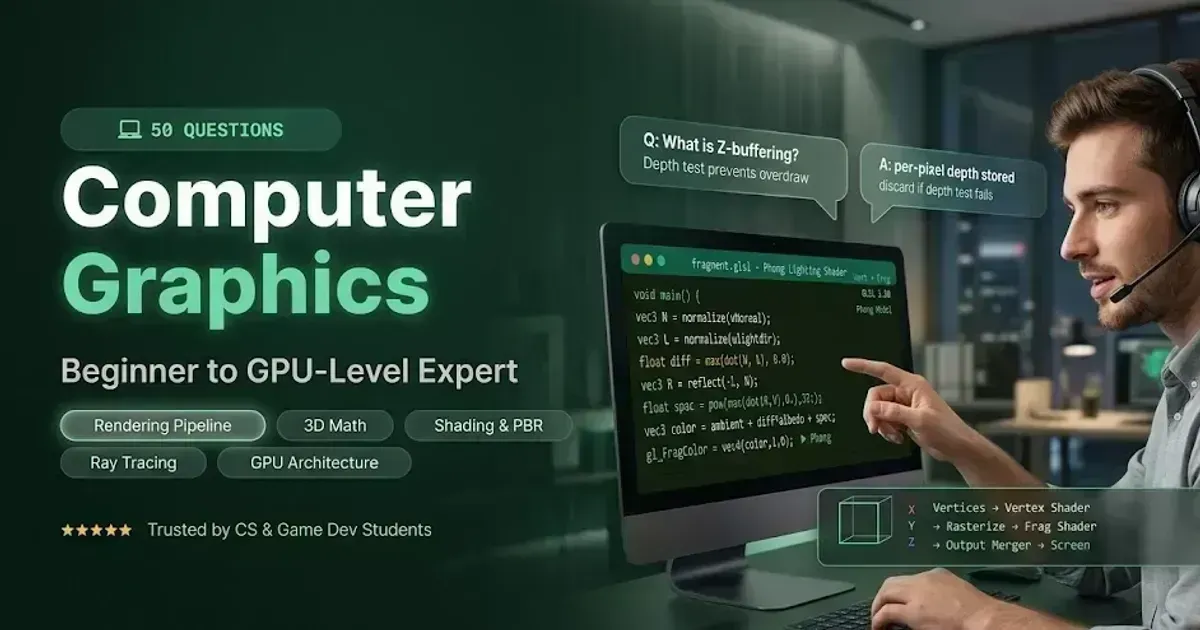
Whether you're preparing for a game engine developer role, a GPU driver position, or a graphics programming interview, these 50 computer graphics questions cover every high-frequency topic — from foundational rasterization and 2D algorithms to advanced PBR shading, BVH-accelerated ray tracing, deferred rendering, and compute shader architecture. Each answer provides the core algorithm, its mathematical basis, and what the interviewer is really evaluating.
Contents
- 1.Basics, Pixels & 2D Graphics (Q1–Q10)Raster vs vector · Framebuffer · Anti-aliasing · RGB/RGBA · Double buffering
- 2.3D Math & Transformations (Q11–Q20)Homogeneous coords · Dot/cross product · Quaternions · Gimbal lock · Back-face culling
- 3.Rendering Pipeline & Rasterization (Q21–Q30)GPU pipeline · Vertex/fragment shaders · Z-buffer · LOD · Frustum culling
- 4.Shading, Illumination & Textures (Q31–Q40)Phong model · PBR · UV mapping · Mipmaps · Normal mapping
- 5.Ray Tracing, Global Illumination & GPUs (Q41–Q50)Ray tracing vs rasterization · GI · Path tracing · BVH · Deferred rendering
- 6.Common Interview MistakesRasterization vs ray tracing · NDC coordinates · Transformation matrices · Z-buffer
- 7.Expert Interview StrategyRendering pipeline · Coordinate systems · GPU architecture · Path tracing
- 8.Real-World Job ApplicationsGraphics Engineer · Game Engine Developer · Shader Specialist
Basics, Pixels, and 2D Graphics Interview Questions (Q1–Q10)
What is the difference between Raster and Vector graphics?
Raster graphics represent images as a grid of individual pixels (bitmaps), which lose quality when scaled up. Vector graphics represent images using mathematical formulas (lines, curves, polygons), allowing them to scale infinitely without any loss of resolution.
💡 Why Interviewers Ask This: It is the absolute baseline of computer graphics. You must understand when to use pixel-based textures versus mathematically calculated shapes.
What is a Framebuffer?
A Framebuffer is a portion of video memory (VRAM) that holds the bitmap data (color values for every pixel) of the complete frame that is currently being rendered and pushed to the physical display monitor.
💡 Why Interviewers Ask This: Tests your knowledge of hardware-level memory allocation and how the GPU prepares images for the screen.
What is Anti-Aliasing?
Anti-aliasing is a technique used to smooth out the jagged, “staircase” edges (jaggies) of rendered lines and polygons caused by low-resolution pixel grids. Common methods include Multisample Anti-Aliasing (MSAA) and Fast Approximate Anti-Aliasing (FXAA).
💡 Why Interviewers Ask This: “Jaggies” are a universal visual artifact. Understanding how to blend edge pixel colors to create optical illusions of smoothness is fundamental to rendering.
Explain the RGB and RGBA Color Models.
RGB is an additive color model where Red, Green, and Blue light are combined in various intensities to create a broad spectrum of colors. RGBA adds an Alpha channel, which represents the opacity (transparency) level of the pixel.
💡 Why Interviewers Ask This: Evaluates your basic understanding of digital color theory, specifically how transparency is mathematically handled in blending operations.
What is Bresenham's Line Algorithm?
It is a highly efficient algorithm used in 2D rasterization to determine which pixels should be plotted to form a straight line between two points. It is optimized to use only integer addition, subtraction, and bit shifting, avoiding expensive floating-point multiplication.
💡 Why Interviewers Ask This: A classic academic question. Interviewers want to see if you understand hardware optimization and how continuous math is converted into discrete pixels.
What is Double Buffering?
Double buffering uses two framebuffers: a Front Buffer (currently displayed on the screen) and a Back Buffer (where the next frame is actively being drawn). Once the back buffer is complete, the two buffers are swapped.
💡 Why Interviewers Ask This: Tests your knowledge of artifact prevention. Without it, users would see the image being drawn mid-process, causing a visual artifact known as Screen Tearing.
What is V-Sync (Vertical Synchronization)?
V-Sync synchronizes the frame rate of the application with the physical refresh rate of the monitor (e.g., 60 Hz). It delays the buffer swap until the monitor is ready for a new frame, preventing screen tearing.
💡 Why Interviewers Ask This: Shows practical knowledge of display hardware bottlenecks and frame pacing in game loops.
What is the Painter's Algorithm?
It is a simple visibility algorithm where polygons are sorted by their distance from the camera and drawn from back to front, painting over background objects.
💡 Why Interviewers Ask This: It's a historical concept used to introduce the Depth Buffer. You should mention its fatal flaw: it cannot correctly render cyclically overlapping polygons.
What is Clipping?
Clipping is the process of cutting off and discarding portions of graphics primitives (lines or polygons) that fall completely outside of the viewing volume (view frustum), saving GPU processing time.
💡 Why Interviewers Ask This: Essential for performance optimization. Rendering objects that aren't on the screen wastes massive amounts of GPU compute power.
What is an Aspect Ratio?
It is the proportional relationship between the width and height of an image or screen (e.g., 16:9, 4:3). In 3D graphics, maintaining the correct aspect ratio in the projection matrix prevents the final image from looking stretched or squashed.
💡 Why Interviewers Ask This: A practical math question. Distorted projections are a common beginner mistake in 3D camera setup.
3D Mathematics and Transformations Interview Questions (Q11–Q20)
Why are Homogeneous Coordinates used in 3D Graphics?
Homogeneous coordinates add a fourth component (W) to a 3D vector (X, Y, Z, W). This allows Affine Transformations — specifically Translation (moving an object) — to be represented as a single 4×4 matrix multiplication, rather than requiring separate addition operations.
💡 Why Interviewers Ask This: The most important linear algebra question in CG. If you don't understand the W component, you cannot construct a transformation matrix.
What is the difference between the Dot Product and Cross Product?
The Dot Product returns a scalar value representing the angle between two vectors (used heavily in lighting calculations like diffuse shading). The Cross Product returns a new 3D vector that is strictly perpendicular (orthogonal) to the two original vectors (used to calculate surface normals).
💡 Why Interviewers Ask This: These are the two most frequently used mathematical operations in 3D rendering.
What is a Surface Normal?
A Normal is a normalized vector (length of 1) that points strictly perpendicular to a surface or polygon. It defines which way a polygon is “facing” and is absolutely critical for calculating how light bounces off the surface.
💡 Why Interviewers Ask This: You cannot calculate 3D lighting without normals. It tests your understanding of surface geometry.
Explain the difference between Orthographic and Perspective Projections.
Orthographic Projection maps 3D objects to a 2D screen using parallel lines — objects retain their exact size regardless of distance (used in CAD, UI, isometric games). Perspective Projection mimics the human eye, where objects get smaller as they move further away toward a vanishing point.
💡 Why Interviewers Ask This: Tests your understanding of camera lenses and the view frustum matrix.
What are Quaternions and why are they used instead of Euler Angles?
Quaternions are a 4D complex mathematical number system used to represent 3D rotations. They are preferred over Euler Angles (X, Y, Z rotations) because they avoid Gimbal Lock and allow for smooth spherical linear interpolation (SLERP) between rotations.
💡 Why Interviewers Ask This: A senior-level math question. Euler angles break down in 3D animation; quaternions are the industry standard for character rigging and camera math.
What is Gimbal Lock?
Gimbal Lock occurs in Euler angle rotations when two of the three rotational axes align parallel to each other, resulting in the loss of one degree of freedom. The system becomes “locked” in a 2D plane.
💡 Why Interviewers Ask This: Proves you understand the mathematical limitations of 3D rotations and justifies the necessity of using matrices or quaternions.
Outline the core Coordinate Spaces in 3D rendering.
Vertices are transformed through the following spaces in order: Local (Model) Space → World Space → View (Camera) Space → Clip Space (Projection) → Screen Space.
💡 Why Interviewers Ask This: This sequence is the exact mathematical journey a 3D vertex takes to become a 2D pixel. Memorizing this is mandatory for writing vertex shaders.
What is Winding Order?
Winding order refers to the sequence in which the vertices of a polygon are defined, either Clockwise (CW) or Counter-Clockwise (CCW). The graphics API uses this order to determine which side of the polygon is the “front” and which is the “back.”
💡 Why Interviewers Ask This: Essential for optimizing rendering performance via Back-Face Culling.
What is Back-Face Culling?
It is an optimization technique where the GPU completely discards the back-facing polygons of a 3D object (determined by winding order and surface normal relative to the camera), cutting the rendering workload roughly in half.
💡 Why Interviewers Ask This: Tests your knowledge of rendering pipeline optimizations.
What are Barycentric Coordinates?
Barycentric coordinates describe the location of a point inside a triangle using three weights (alpha, beta, gamma) that sum to 1. They are used heavily during rasterization to interpolate values (colors, normals, UVs) across the face of a triangle.
💡 Why Interviewers Ask This: A deep-dive math question. It shows you understand how data travels from the 3 vertices of a triangle to the millions of pixels inside it.
The Rendering Pipeline & Rasterization Interview Questions (Q21–Q30)
Describe the programmable Graphics Rendering Pipeline.
The core stages are: Vertex Fetch → Vertex Shader (transforms 3D coordinates) → Primitive Assembly → Rasterization (converts geometry into fragments/pixels) → Fragment/Pixel Shader (calculates final color) → Depth/Stencil Testing → Framebuffer.
💡 Why Interviewers Ask This: The ultimate architectural question. You must demonstrate how modern GPUs physically process data step-by-step.
What is the difference between a Vertex Shader and a Fragment (Pixel) Shader?
The Vertex Shader executes once per vertex, manipulating 3D positions (transforming local space to clip space). The Fragment Shader executes once per rasterized pixel (fragment), calculating the final color, lighting, and texture of that specific pixel.
💡 Why Interviewers Ask This: This separates those who use game engines via GUI from those who actually write low-level graphics code.
What is the Z-Buffer (Depth Buffer) and how does it work?
The Z-Buffer is a 2D array matching the screen resolution that stores the depth value (Z-coordinate) of the closest rendered pixel. Before drawing a new fragment, the GPU compares its depth against the Z-Buffer. If closer to the camera, it overwrites the pixel and updates the buffer; if farther away, it is discarded.
💡 Why Interviewers Ask This: It is the modern, hardware-accelerated solution to the visibility problem (replacing the Painter's Algorithm).
What is Early Z-Testing?
It is a GPU optimization where the depth test is performed before the Fragment Shader executes. If the fragment is blocked by an existing object, it is instantly discarded, saving the heavy computational cost of calculating lighting and textures for an invisible pixel.
💡 Why Interviewers Ask This: An advanced performance optimization concept. Knowing this proves you know how to reduce fragment shader bottlenecks.
What is a Stencil Buffer?
The Stencil Buffer is an extra mask layer paired with the depth buffer. It allows developers to block or allow rendering on specific pixels based on custom logical tests (e.g., masking reflections to only draw inside a mirror's border, or creating rendering outlines).
💡 Why Interviewers Ask This: Shows advanced knowledge of framebuffer attachments used for complex visual effects and UI masking.
What is the difference between an Index Buffer and a Vertex Buffer?
A Vertex Buffer Object (VBO) stores unique vertex data (position, normal, UV). An Index Buffer Object (IBO) stores integers that point to those vertices. Because 3D meshes share vertices (a square shares 2 vertices between its 2 triangles), using an Index Buffer prevents duplicating vertex data, saving massive GPU memory.
💡 Why Interviewers Ask This: Tests your understanding of GPU memory optimization and mesh topology.
What is Rasterization?
Rasterization is the mathematical process of converting continuous vector graphics (3D triangles) into a discrete grid of 2D fragments (pixels) on a screen so they can be colored by the Fragment Shader.
💡 Why Interviewers Ask This: It is the core algorithm driving 99% of real-time games today (as opposed to Ray Tracing).
What is Level of Detail (LOD)?
LOD is a performance optimization technique where the game engine swaps a highly detailed 3D model for a lower-polygon version of the same model as it moves further away from the camera, reducing the vertex processing load.
💡 Why Interviewers Ask This: Crucial for open-world game optimization and memory streaming.
What are Uniforms vs. Attributes in GLSL (Shaders)?
Attributes are variables passed into the vertex shader that change per vertex (e.g., position, UV coordinates). Uniforms are global variables passed from the CPU to the GPU that remain constant across an entire draw call (e.g., camera matrices, light color, time).
💡 Why Interviewers Ask This: Tests your practical knowledge of shading languages and CPU-to-GPU data transmission limitations.
What is Frustum Culling?
The process of checking the bounding boxes (AABBs or Spheres) of 3D objects against the six planes of the camera's view frustum. If the object is entirely outside the frustum, it is not sent to the GPU for rendering.
💡 Why Interviewers Ask This: Distinct from back-face culling, this is a CPU-side optimization that prevents the GPU from being bottlenecked by off-screen geometry.
Shading, Illumination, and Textures Interview Questions (Q31–Q40)
Compare Flat, Gouraud, and Phong Shading.
- Flat Shading: Evaluates lighting once per polygon face (looks blocky).
- Gouraud Shading: Evaluates lighting at the 3 vertices and interpolates colors across the face (smoother, but misses specular highlights in the center).
- Phong Shading: Interpolates surface normals across the face and evaluates the lighting equation per-pixel in the fragment shader (most realistic, highest computational cost).
💡 Why Interviewers Ask This: A classic academic progression question tracking the history of real-time lighting capabilities.
Explain the Phong Reflection Model.
An empirical illumination model that calculates a pixel's color by summing three components: Ambient (constant background light), Diffuse (directional light scattered equally based on the angle of incidence), and Specular (the bright, concentrated reflection based on camera angle and surface shininess).
💡 Why Interviewers Ask This: It is the foundational equation for all non-PBR 3D lighting algorithms.
How does the Blinn-Phong model improve upon standard Phong?
Standard Phong calculates the angle between the viewer vector and the reflection vector. Blinn-Phong calculates the angle between the surface normal and a Halfway Vector (halfway between the light and viewer). This is computationally faster and produces more realistic specular highlights at grazing angles.
💡 Why Interviewers Ask This: Shows deep knowledge of micro-optimizations in shader math.
What is Texture Mapping and what are UV Coordinates?
Texture Mapping is wrapping a 2D image (texture) around a 3D model. UV Coordinates are 2D floating-point values (ranging from 0.0 to 1.0) assigned to each 3D vertex, instructing the GPU exactly which pixel (texel) of the 2D image to sample.
💡 Why Interviewers Ask This: You must understand how 2D data is mapped onto 3D surfaces seamlessly.
What are Mipmaps and why are they used?
Mipmaps are pre-calculated, progressively lower-resolution sequences of a texture. The GPU selects the appropriate mipmap level based on the object's distance from the camera. This improves cache performance and eliminates texture aliasing/moiré patterns when viewing textures at a distance.
💡 Why Interviewers Ask This: A critical concept for texture memory management and visual fidelity.
Compare Bilinear and Trilinear Texture Filtering.
Bilinear filtering smooths textures by sampling the 4 nearest texels on a single mipmap level and averaging them. Trilinear filtering smooths transitions between mipmap boundaries by sampling the 4 nearest texels on two adjacent mipmap levels and interpolating between all 8 values.
💡 Why Interviewers Ask This: Tests your understanding of how the GPU samples images to prevent blocky pixelation up close.
What is Anisotropic Filtering?
It is an advanced texture filtering algorithm that drastically improves the clarity of textures viewed at extremely steep, oblique angles (like a road stretching into the distance) by sampling the texture in a non-square, trapezoidal pattern matching the camera's viewing angle.
💡 Why Interviewers Ask This: Differentiates advanced graphics engineers who understand spatial distortion from beginners.
What is Normal Mapping?
A technique that uses an RGB texture to encode high-resolution fake surface normals (X, Y, Z directions). The shader uses these normals to calculate lighting, creating the illusion of deep bumps and details on a low-polygon model without adding actual geometry.
💡 Why Interviewers Ask This: It is the #1 industry-standard trick for making low-poly game assets look like high-poly cinematic models.
What is PBR (Physically Based Rendering)?
PBR is a modern shading paradigm that uses realistic physics equations (energy conservation and microfacet theory) to render materials consistently across all lighting environments. It relies on standard texture maps: Albedo (base color), Metallic, Roughness, and Ambient Occlusion.
💡 Why Interviewers Ask This: PBR is the modern standard for all AAA games and film VFX. You must know the Metal/Roughness workflow.
What is the difference between Albedo and Diffuse?
In legacy lighting, a Diffuse map often contained baked-in shadows or highlights. In modern PBR, an Albedo map contains strictly the unlit, raw base color of the material — completely devoid of any directional lighting or ambient shadow data.
💡 Why Interviewers Ask This: Tests if you understand the strict mathematical rules of authoring assets for a modern PBR pipeline.
Ray Tracing, Global Illumination, and GPUs Interview Questions (Q41–Q50)
How does Ray Tracing differ fundamentally from Rasterization?
Rasterization projects 3D triangles onto a 2D grid. Ray Tracing works backward — shooting mathematical “rays” from the camera through each 2D pixel into the 3D scene, calculating intersections with geometry and recursively tracing bounce rays to calculate perfect shadows, refractions, and reflections.
💡 Why Interviewers Ask This: Distinguishes between the two fundamentally distinct paradigms of computer graphics.
What is Global Illumination (GI)?
While Local Illumination only calculates light coming directly from a light source, Global Illumination calculates indirect lighting — light that bounces off other surfaces, picking up their color and illuminating areas in shadow (color bleeding/radiosity).
💡 Why Interviewers Ask This: GI is the holy grail of photorealism in 3D graphics.
What is the Rendering Equation?
Introduced by James Kajiya, it is the integral mathematical formula that calculates the total amount of light leaving a surface point. It combines the emitted light with the integral of all incoming light scattered by the surface's BRDF.
💡 Why Interviewers Ask This: The foundational equation of all path tracing and advanced cinematic rendering.
What is a BRDF (Bidirectional Reflectance Distribution Function)?
A mathematical function that defines how light is reflected off an opaque surface. It takes an incoming light direction and an outgoing view direction, and outputs the ratio of light energy reflected. It governs whether a material looks like matte plastic, shiny metal, or clear glass.
💡 Why Interviewers Ask This: It is the mathematical core of the PBR microfacet model.
What is Path Tracing compared to standard Ray Tracing?
Path tracing is a specific, statistically robust form of ray tracing based on the Monte Carlo method. Instead of tracing strict, deterministic rays to light sources, it shoots hundreds of randomized bounce rays per pixel to approximate the Rendering Equation and achieve true Global Illumination.
💡 Why Interviewers Ask This: Differentiates legacy Whitted-style ray tracing from modern, physically accurate cinematic rendering.
Why are Spatial Data Structures (BVH, Octrees) critical in Ray Tracing?
Testing a ray against millions of triangles is computationally impossible. A Bounding Volume Hierarchy (BVH) wraps geometry in a tree of progressively smaller bounding boxes. If a ray misses the parent box, the GPU instantly skips all triangles inside it, reducing time complexity from O(n) to O(log n).
💡 Why Interviewers Ask This: The most critical optimization in hardware-accelerated real-time ray tracing (RTX).
What is Ambient Occlusion (AO)?
A shading technique that calculates how exposed each point in a scene is to ambient lighting. It creates soft, self-shadowing in crevices, corners, and tight spaces where ambient light struggles to bounce into, adding immense depth to flat scenes.
💡 Why Interviewers Ask This: It is the cheapest way to fake Global Illumination depth in a rasterized engine.
Explain Deferred Shading vs. Forward Rendering.
- Forward Rendering: Calculates lighting immediately as each polygon is drawn (costly if polygons overlap, leading to GPU overdraw).
- Deferred Shading: Separates geometry from lighting. First, renders all geometry data (Normals, Color, Depth) into a G-Buffer. Second, applies lighting as a 2D screen-space pass, allowing engines to efficiently support thousands of dynamic lights.
💡 Why Interviewers Ask This: This is the core architectural difference between mobile renderers and modern AAA game engines.
What is a Compute Shader?
Unlike vertex or fragment shaders, a compute shader is entirely disconnected from the graphics rendering pipeline. It is used for GPGPU (General-Purpose computing on GPUs), leveraging the GPU's massive parallel processing power for physics simulations, particle systems, or AI algorithms.
💡 Why Interviewers Ask This: Proves you can use modern APIs like Vulkan or DirectX 12 for high-performance computing beyond just drawing pixels.
What are Screen Space Reflections (SSR)?
A post-processing effect that calculates reflections by ray-tracing against the 2D depth buffer (screen space) rather than the actual 3D scene geometry. It is very fast, but its limitation is that it cannot reflect objects currently off-screen or occluded by other objects.
💡 Why Interviewers Ask This: Tests your knowledge of modern real-time rendering “hacks” that bridge the gap between rasterization speed and ray-traced visual fidelity.
Common Mistakes in Graphics Interviews
- Confusing the rendering pipeline stages: Stating vertex shader runs AFTER rasterization is a critical error. The pipeline is: Vertex Shader → Tessellation → Geometry Shader → Rasterization → Fragment Shader. Vertices are transformed in world space BEFORE pixels are generated.
- Saying rasterization and ray tracing are competing technologies: They solve different problems. Rasterization is for real-time games (fast, 60+ FPS). Ray tracing is for offline rendering or RTX-accelerated real-time. Modern engines use both: rasterized G-Buffer + ray-traced reflections/shadows.
- Not understanding why mipmaps are necessary:Saying "mipmaps reduce memory" misses the real reason: cache efficiency. Without mipmaps, sampling a distant texture causes excessive cache misses. Mipmaps allow the GPU to sample pre-filtered texels matching screen-space footprint size, improving bandwidth utilization dramatically.
- Confusing BRDF with BSDF: BRDF (Bidirectional Reflectance Distribution Function) handles opaque surfaces. BSDF (Bidirectional Scattering Distribution Function) includes transmittance (light passing through). Failing to distinguish them signals incomplete material model understanding.
- Describing Normal Maps as "storing lighting": Normal maps store surface-space normal vectors, not pre-baked lighting. Interviewers test whether you understand that normals are sampled from a texture and used in real-time lighting calculations per-pixel, enabling geometric detail without extra geometry.
- Saying "GPU parallelism is just multi-core": GPUs achieve parallelism through massive thread-level parallelism (thousands of threads), not just multi-core CPUs (dozens of cores). GPUs trade deep caches and branch prediction for sheer thread count and bandwidth. Conflating them reveals shallow GPU architecture knowledge.
Expert Interview Strategy for Graphics Roles
- Diagram the rendering pipeline from memory. Draw the full pipeline: Input Assembler → Vertex Shader → Tessellation (optional) → Geometry Shader (optional) → Rasterization → Fragment Shader → Output Merger. Label what CPU vs GPU does at each stage. This single diagram demonstrates pipeline mastery instantly.
- Connect math to visual results.Don't just define quaternions — explain why they prevent gimbal lock in camera rotations. Don't just mention PBR — show how metallic vs roughness BRDF lobes change reflectance. Linking formulas to tangible rendering outcomes differentiates you.
- Mention API differences (OpenGL vs Vulkan vs DirectX) when relevant.Reference Vulkan's explicit synchronization, DirectX's shader model versions (SM6.6), or OpenGL's legacy fixed-function pipeline. Knowing API trade-offs shows you've shipped real engines, not just studied theory.
- Explain performance optimization, not just correctness. When discussing deferred shading, mention that it scales to thousands of lights but has higher memory bandwidth due to G-Buffer reads. When discussing ray tracing, cite BVH SAH (Surface Area Heuristic) as a build-time optimization. Interviewers test whether you think in terms of GPU bottlenecks.
- Use industry terminology correctly.Say “light transport simulation” instead of “global illumination”, “clip space” instead of “homogeneous coordinates”, “fragment” instead of “pixel” in shader context. Precise language signals credibility and graphics domain expertise.
How These Concepts Apply in Real Graphics Jobs
Graphics Engineer
Implements rendering pipelines in Vulkan/DirectX, optimizes shader performance on target GPUs, architects G-Buffers and post-processing chains, and handles texture streaming. Deep knowledge of the pipeline, memory bandwidth, and GPU architecture is essential for shipping efficient engines.
Game Engine Developer
Balances artistic vision with runtime performance. Configures rendering features (ray tracing, ambient occlusion, post-effects), tunes draw call budgets for target platforms (PC, Console, Mobile), and profiles GPU bottlenecks with tools like Nvidia NSight or RenderDoc.
VR/AR Graphics Specialist
Optimizes latency and frame rates for VR headsets (90+ FPS required). Implements foveated rendering (lower quality at screen edges), handles lens distortion correction, and manages multi-view rendering for stereo. GPU efficiency is absolutely critical in XR.
Compiler / Shader Optimization Specialist
Optimizes HLSL/GLSL shaders down to GPU ISA, analyzes register pressure and occupancy, and implements shader caching systems. Works at the intersection of graphics APIs and GPU hardware, requiring deep ISA knowledge (RDNA, NVIDIA architecture).
Conclusion: Master Computer Graphics Interviews
These 50 computer graphics interview questions cover the essential concepts you'll encounter in graphics engineer, game engine developer, VR specialist, and shader compiler roles. Mastering these topics demonstrates a solid understanding of the rendering pipeline, 3D mathematics, GPU architecture, light transport, and real-time rendering optimization.
The key to interview success is connecting theory to implementation. Each answer includes insights into what interviewers are testing — from fundamental pipeline mechanics to GPU bottleneck analysis and optimization trade-offs.
After reviewing these answers, reinforce your learning by implementing small graphics projects (shader experiments, ray tracing prototypes) and review the graphics theory notes. The combination of conceptual understanding + hands-on rendering code + theory review creates the strongest foundation for graphics interviews.
Topics covered in this guide
Topics in this guide: Rendering pipeline, 3D mathematics, GPU architecture, light transport, ray tracing, PBR, deferred rendering, shaders, textures, rasterization, MVP matrix, quaternions.
For freshers: Vertex/fragment shaders, rendering pipeline stages, coordinate spaces, transformations, rasterization, basic lighting (Phong model), and texture mapping.
For experienced professionals: Deferred vs. forward+ rendering, ray tracing and acceleration structures (BVH), shading models (PBR/Microfacet BRDF), post-processing, GPU memory bottlenecks, profiling (RenderDoc), and low-overhead graphics APIs (Vulkan/DirectX 12).
Interview preparation tips: Diagram the rendering pipeline, connect math to visual results, mention API differences, explain performance optimization, use industry terminology correctly.
Frequently Asked Questions
Q.What computer graphics topics are most important for game engine interviews?
Q.What is the difference between rasterization and ray tracing?
Q.What is the MVP matrix in 3D graphics?
Q.Why are mipmaps important in game performance?
Q.What is the G-Buffer in Deferred Shading?
Found these questions helpful? Share them with your peers.
Common Interview Mistakes
Errors that eliminate candidates
- Giving textbook definitions without showing a concrete Computer Graphics use case.
- Skipping trade-offs and answering as if there is only one correct engineering decision.
- Over-answering for 2-3 minutes without structure, metrics, or outcomes.
Expert Interview Strategy
30-second answer rule
- Start with a one-line definition, then explain one real scenario from Computer Graphics.
- Use a 3-step structure: concept, practical example, and interviewer intent.
- Close with one trade-off (performance, scale, security, or maintainability).
Real-World Job Applications
These Computer Graphics patterns are directly tested for production roles where interviewers expect clear debugging steps, architecture trade-offs, and communication under time pressure.
Conclusion
Mastering these Computer Graphics interview questions means explaining concepts quickly, connecting them to real systems, and justifying decisions with practical trade-offs.
Frequently Asked Questions
How should I prepare this topic in 7 days? Focus on high-frequency patterns, rehearse 30-second answers, and revise one practical example per category.
What do interviewers score most? Clarity, structured thinking, and your ability to reason through constraints and trade-offs.