Top 50 Computer Networks Interview Questions with Answers (2026): Fresher to Network Engineer
 PerfectNotes Team~22 min read50 Questions6 CategoriesFree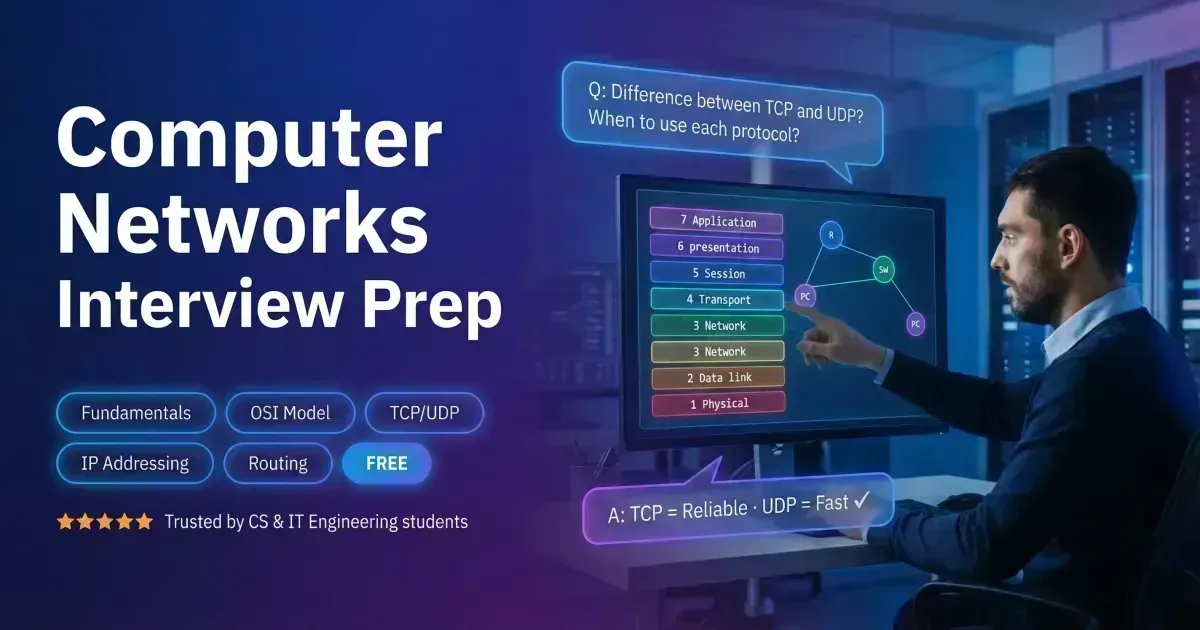
Computer Networks is a mandatory interview subject for backend engineers, DevOps engineers, cloud architects, and system designers. Interviewers use networking questions to test whether you understand how data actually travels across the internet — from your laptop to a server on the other side of the world.
This guide covers the 50 most frequently asked Computer Networks interview questions for freshers and experienced candidates. Each answer is technically precise and includes a “Why Interviewers Ask This” section revealing the exact mindset behind every question.
Topics covered: LAN/WAN, MAC and IP addressing, OSI and TCP/IP models, TCP vs UDP, DNS, DHCP, HTTP/HTTPS, subnetting, NAT, CIDR, routing protocols (BGP, OSPF), switches, VLANs, ARP, firewalls, VPNs, DDoS attacks, and network troubleshooting tools.
Contents
- 1.Network Fundamentals & Topologies (Q1–Q7)Node · Link · LAN/MAN/WAN · Topology · MAC · IP
- 2.OSI & TCP/IP Models (Q8–Q13)7 Layers · TCP/IP 4 Layers · Router · Switch
- 3.Protocols & Transport Layer (Q14–Q21)TCP · UDP · 3-Way Handshake · DNS · DHCP · HTTP(S) · FTP · ICMP
- 4.IP Addressing, Subnetting & IPv4 vs IPv6 (Q22–Q28)IPv4 · IPv6 · Subnet Mask · Default Gateway · NAT · CIDR
- 5.Routing, Switching & Network Hardware (Q29–Q35)Routing Table · Static vs Dynamic · ARP · Hub vs Switch · VLAN · Broadcast Domain
- 6.Advanced Protocols, Security & Troubleshooting (Q36–Q50)BGP · OSPF · HTTP Methods · Firewall · VPN · DDoS · ping · traceroute · Ports
- 7.Common Interview MistakesTCP vs UDP confusion · OSI layer gaps · Routing vs switching · Subnetting errors
- 8.Expert Interview StrategyProtocol-to-layer mapping · Packet trace analysis · Security implications · IPv4 vs IPv6
- 9.Real-World ApplicationsNetwork Engineer · Cloud / DevOps Engineer · Security Engineer
Network Fundamentals & Topologies Interview Questions (Q1–Q7)
1. What is a Computer Network?
A Computer Network is a system of interconnected computing devices that can exchange data and share resources with each other. These devices use a system of rules called communications protocols to transmit information over physical or wireless technologies.
💡 Why Interviewers Ask This: The baseline test. A strong candidate defines it by mentioning both “data exchange” and “resource sharing” (like printers or internet access), not just “computers talking to each other.”
2. What is the difference between a Node and a Link?
- Node: Any physical device connected to a network that can send, receive, or forward information (e.g., computers, routers, switches).
- Link: The physical or logical communication pathway that connects two nodes (e.g., Ethernet cables, optical fibers, Wi-Fi).
💡 Why Interviewers Ask This: Foundational vocabulary. You cannot discuss complex routing or network design without knowing what a node is.
3. What are the differences between LAN, MAN, and WAN?
- LAN (Local Area Network): Covers a small geographic area like a single office or building. High speed, low error rate (e.g., your home Wi-Fi).
- MAN (Metropolitan Area Network): Covers a larger area like a city or campus. Connects multiple LANs (e.g., cable television networks).
- WAN (Wide Area Network): Covers a large geographical area — countries or continents. Slower speed, higher latency. The Internet is the largest WAN.
💡 Why Interviewers Ask This: Foundational scale knowledge. Interviewers expect you to know that the Internet is a WAN.
4. What is a Network Topology?
A Network Topology is the physical or logical arrangement of nodes and links in a computer network. It defines how different devices are connected and how data flows between them. Physical topology describes the actual wire/cable layout; logical topology describes how data actually travels through the network.
💡 Why Interviewers Ask This: Sets up the follow-up. You must know that physical and logical topologies can differ — a physical star topology can run a logical bus protocol.
5. Describe the Mesh, Star, and Bus topologies.
- Mesh: Every node connects to every other node. Highly reliable but extremely expensive and complex to cable. Used in critical backbone networks.
- Star: All nodes connect to a central hub or switch. If a node fails the network survives; if the central switch fails the network goes down. This is the standard for modern LANs.
- Bus: All nodes share a single central cable (the backbone). Cheap but prone to collisions and the entire network fails if the main cable breaks. Now obsolete.
💡 Why Interviewers Ask This: Interviewers want you to identify the Star topology as the most practical modern choice.
6. What is a MAC Address?
A MAC (Media Access Control) Address is a unique, 48-bit hardware identifier assigned to a Network Interface Card (NIC) by the manufacturer. It operates at the Data Link Layer (Layer 2) and is used for local communication within the same network segment. MAC addresses are typically permanent and do not change.
💡 Why Interviewers Ask This: You must distinguish between physical identity (MAC — Layer 2) and logical identity (IP — Layer 3). MAC addresses generally do not change; IP addresses do.
7. What is an IP Address?
An IP (Internet Protocol) Address is a unique logical address assigned to every device connected to a network that uses the Internet Protocol. It operates at the Network Layer (Layer 3) and is used for global routing. Think of a MAC address as your name; an IP address is your mailing address that routes data across the world.
💡 Why Interviewers Ask This: The core of networking. The mailing address analogy is the expected explanation — it conveys both uniqueness and routing purpose.
OSI & TCP/IP Model Interview Questions (Q8–Q13)
8. What is the OSI Model?
The OSI (Open Systems Interconnection) Model is a conceptual framework that standardizes the functions of a computing system into seven distinct abstraction layers. It helps engineers troubleshoot networks by isolating problems to a single layer (e.g., “this is a Layer 3 routing problem, not a Layer 1 cable problem”).
💡 Why Interviewers Ask This: The holy grail of network interviews. If you cannot name all seven layers, you will likely fail the interview.
9. What are the 7 layers of the OSI Model?
From bottom (Layer 1) to top (Layer 7) — mnemonic: “Please Do Not Throw Sausage Pizza Away”:
- Layer 1 — Physical: Transmits raw bit streams over a physical medium (cables, radio waves)
- Layer 2 — Data Link: Node-to-node data transfer and MAC addressing (Switches)
- Layer 3 — Network: Routing and logical IP addressing (Routers)
- Layer 4 — Transport: End-to-end communication and error recovery (TCP/UDP)
- Layer 5 — Session: Establishes, manages, and terminates sessions between applications
- Layer 6 — Presentation: Data translation, encryption, and compression
- Layer 7 — Application: Network services for end-user applications (HTTP, FTP, DNS)
💡 Why Interviewers Ask This: Pure memorization test — but also conceptual. Practice the mnemonic until it is automatic.
10. What is the TCP/IP Model?
The TCP/IP Model is a concise, 4-layer framework that forms the actual basis of the modern Internet. Unlike the theoretical OSI model, TCP/IP is a practical implementation. Its four layers are: Network Access, Internet, Transport, and Application.
💡 Why Interviewers Ask This: The OSI model is for textbooks; the TCP/IP model is what actually runs the internet. You must know both and their difference.
11. How does the TCP/IP model map to the OSI model?
- Application (TCP/IP) maps to Application + Presentation + Session (OSI Layers 7, 6, 5)
- Transport (TCP/IP) maps to Transport (OSI Layer 4) — one-to-one match
- Internet (TCP/IP) maps to Network (OSI Layer 3)
- Network Access (TCP/IP) maps to Data Link + Physical (OSI Layers 2, 1)
💡 Why Interviewers Ask This: Shows you can translate between theoretical concepts and real-world architecture. The 7-layer OSI collapses to 4 layers in practice.
12. At which OSI layer does a Router operate?
A Router operates at Layer 3 (The Network Layer). It reads the logical IP addresses in data packets to determine the best path to forward traffic across different networks. The key rule: Layer 3 = Routers = IP Addresses.
💡 Why Interviewers Ask This: Hardware-to-layer mapping is heavily tested. Know this instantly: Routers = Layer 3, Switches = Layer 2, Hubs = Layer 1.
13. At which OSI layer does a Switch operate?
A standard Switch operates at Layer 2 (The Data Link Layer). It reads the physical MAC addresses in data frames to forward traffic only to the specific port where the destination device is connected — unlike a hub which broadcasts to every port.
💡 Why Interviewers Ask This: You must distinguish between a switch (Layer 2) and a hub (Layer 1). Mentioning Layer 3 Switches (which also route via IP) shows advanced expertise.
Protocols & Transport Layer Interview Questions (Q14–Q21)
14. What is a Protocol?
A Protocol is a standard set of rules and procedures that dictate how data is formatted, transmitted, and received across a computer network. It ensures that devices from different manufacturers can understand each other. Without protocols, an Apple device could not communicate with a Microsoft server.
💡 Why Interviewers Ask This: The conceptual foundation. Every specific networking question builds on understanding what a protocol is.
15. What is the difference between TCP and UDP?
- TCP (Transmission Control Protocol): Connection-oriented, reliable, guarantees delivery in the correct order using acknowledgments. Slower due to overhead. Used for: web browsing (HTTP/S), email (SMTP), file transfer (FTP).
- UDP (User Datagram Protocol): Connectionless, unreliable, no delivery guarantee. Extremely fast — no overhead. Used for: live video streaming, online gaming, DNS queries, VoIP.
💡 Why Interviewers Ask This: The most frequently asked networking question. You must know their use cases immediately and not confuse TCP's reliability with slowness being a bug — it is intended.
16. Explain the TCP Three-Way Handshake.
The Three-Way Handshake is the process TCP uses to establish a reliable connection before sending data:
- SYN: Client sends a Synchronization (SYN) packet to the server, requesting a connection
- SYN-ACK: Server acknowledges the client's SYN and sends its own SYN back
- ACK: Client acknowledges the server's SYN. The connection is now open and data transfer begins
💡 Why Interviewers Ask This: Tests deep Transport Layer knowledge. Understanding this is critical for explaining SYN Flood DDoS attacks — where attackers send millions of SYN packets without completing the handshake.
17. What is DNS (Domain Name System)?
DNS is the phonebook of the Internet. It operates at the Application Layer and translates human-readable domain names (like google.com) into machine-readable IP addresses (like 142.250.190.46). Without DNS, you would have to memorize every website's IP address.
💡 Why Interviewers Ask This: Essential for web architecture. A strong candidate knows that DNS primarily uses UDP port 53 for speed, switching to TCP only for large responses.
18. What is DHCP (Dynamic Host Configuration Protocol)?
DHCP automatically assigns IP addresses, subnet masks, and default gateways to devices when they join a network, eliminating manual static IP configuration. The process follows the DORA sequence: Discover → Offer → Request → Acknowledge.
💡 Why Interviewers Ask This: Practical IT infrastructure knowledge. Mentioning the DORA process by name guarantees a strong impression.
19. What is HTTP and HTTPS?
- HTTP (Hypertext Transfer Protocol): The foundation of data communication on the web. Transmits data in plain text. Uses Port 80. Insecure — data can be intercepted.
- HTTPS (HTTP Secure): The encrypted version of HTTP. Uses SSL/TLS to encrypt communication between the browser and the server, protecting against eavesdropping. Uses Port 443.
💡 Why Interviewers Ask This: Core web knowledge. You must know port 80 vs 443 and that HTTPS uses asymmetric encryption for the initial TLS handshake.
20. What is FTP (File Transfer Protocol)?
FTP is a standard network protocol for transferring files between a client and server. It uses two TCP connections: Port 21 for control commands and Port 20 for actual data transfer.
💡 Why Interviewers Ask This: Legacy protocol knowledge. Modern engineers should mention that plain FTP is insecure (transmits credentials in plain text) and SFTP (SSH File Transfer Protocol) should be used instead.
21. What is ICMP (Internet Control Message Protocol)?
ICMP is a network layer protocol used by network devices to generate error messages and operational information about IP communication. It is not used to carry application data — only control messages. Tools like ping and traceroute work entirely using ICMP echo requests and echo replies.
💡 Why Interviewers Ask This: Tests diagnostic knowledge. If a firewall blocks ICMP, ping will fail even if the host is perfectly reachable via HTTP.
IP Addressing, Subnetting & IPv4 vs IPv6 Interview Questions (Q22–Q28)
22. What is the difference between IPv4 and IPv6?
- IPv4: Uses a 32-bit address format (e.g.,
192.168.1.1), providing about 4.3 billion unique addresses. Now exhausted. - IPv6: Uses a 128-bit address format in hexadecimal (e.g.,
2001:0db8:85a3::8a2e:0370:7334), providing a practically infinite number of addresses. Developed because we ran out of IPv4.
💡 Why Interviewers Ask This: IPv6 is the future. Engineers must know how its hex notation differs from IPv4 decimal notation and why the transition happened.
23. What is a Subnet Mask?
A Subnet Mask is a 32-bit number that divides an IP address into two parts: the Network Address and the Host Address. It tells a device whether a destination IP is on the local network (send directly) or needs to be sent to the default gateway (router). Example: 255.255.255.0 means the first 24 bits are the network, last 8 bits are for hosts.
💡 Why Interviewers Ask This: Tests routing logic. Subnet masks like 255.255.255.0 and CIDR notation like /24 are everywhere in IT and cloud configuration.
24. What is Subnetting?
Subnetting is the practice of dividing a single large network into multiple smaller, manageable logical sub-networks. It improves network performance by reducing broadcast traffic, enhances security by isolating segments, and allows efficient use of IP address space. AWS VPCs and Azure VNets rely entirely on subnetting and CIDR notation.
💡 Why Interviewers Ask This: Crucial for Network Engineers and Cloud Architects. If you are working with cloud infrastructure, subnetting is a daily activity.
25. What is the Default Gateway?
A Default Gateway is the router node on a computer network that serves as the forwarding host to other networks. If a computer wants to send data to an IP address outside its local subnet, it sends it to the default gateway first. If your computer has an IP address but cannot reach the internet, the default gateway is usually missing or incorrect.
💡 Why Interviewers Ask This: Basic troubleshooting knowledge. The default gateway is the first thing to check when internet connectivity fails.
26. What is a Public IP vs a Private IP Address?
- Public IP: Assigned by your ISP, globally unique, and routable on the public Internet.
- Private IP: Assigned by your local router via DHCP, strictly for use within a LAN, and not routable on the public Internet.
Private IP ranges: 10.0.0.0/8, 172.16.0.0/12, 192.168.0.0/16.
💡 Why Interviewers Ask This: You must be able to identify the three private IP ranges immediately — they appear in every network config and cloud security group.
27. What is NAT (Network Address Translation)?
NAT is a process used by routers to map multiple private IP addresses inside a local network to a single public IP address before communicating with the Internet. It was the primary reason we did not exhaust IPv4 addresses in the 1990s. Without NAT, every device in your home would need a paid, unique public IP address from your ISP.
💡 Why Interviewers Ask This: Connects private IPs to public IPs. Understanding NAT shows you know how real home and enterprise networks function.
28. What is CIDR (Classless Inter-Domain Routing)?
CIDR is a method for allocating IP addresses that replaces the older “Class A/B/C” system. It uses a slash notation (e.g., /24) to indicate exactly how many bits are used for the network portion. Example: 192.168.1.0/24 means 24 bits for the network → 256 possible addresses (254 usable hosts).
💡 Why Interviewers Ask This: Modern networking no longer uses IP classes. Cloud engineers configure CIDR blocks for VPCs (AWS) and VNets (Azure) every day.
Routing, Switching & Network Hardware Interview Questions (Q29–Q35)
29. What is Routing?
Routing is the process of selecting the most optimal path across one or more networks for data packets to reach their final destination. It is performed by routers operating at Layer 3 of the OSI model, which read destination IP addresses and consult their routing tables to forward packets hop-by-hop toward the destination.
💡 Why Interviewers Ask This: Foundation of internet architecture. Every packet you send traverses multiple routers through this routing process.
30. What is a Routing Table?
A Routing Table is a data file stored in a router that lists routes to particular network destinations, along with metrics (cost/hop count) associated with each route. It is the “brain” of the router. If a destination network is not in the routing table, the router drops the packet (unless a default route is configured).
💡 Why Interviewers Ask This: Understanding the routing table is essential for debugging network outages and understanding how BGP mis-advertisements cause global internet disruptions.
31. What is the difference between Static and Dynamic Routing?
- Static Routing: Routes are manually configured by a network administrator. Secure, fast, and predictable — but does not scale and cannot adapt if a link goes down.
- Dynamic Routing: Routers use protocols (like OSPF or BGP) to automatically discover networks, share routing information, and update tables in real-time when paths fail. The Internet runs entirely on dynamic routing.
💡 Why Interviewers Ask This: Tests network design trade-offs. Small office networks can use static routing; any large-scale infrastructure must use dynamic routing.
32. What is ARP (Address Resolution Protocol)?
ARP maps a known logical IP address (Layer 3) to an unknown physical MAC address (Layer 2) on a local network. When a device wants to send data, it broadcasts an ARP Request (“Who has IP 192.168.1.5? Tell 192.168.1.1”). The owner of that IP replies with its MAC address. The result is cached in the ARP table.
💡 Why Interviewers Ask This: Tests the bridge between Layer 3 and Layer 2. Understanding ARP is also critical for cybersecurity: ARP Spoofing is a common Man-in-the-Middle attack technique.
33. What is the difference between a Hub and a Switch?
- Hub (Layer 1): A “dumb” device that receives data on one port and broadcasts it out of every single other port. This causes massive collisions and creates security risks because all hosts see all traffic.
- Switch (Layer 2): An intelligent device that reads the destination MAC address and forwards data only to the specific port where the target device is connected — eliminating collisions.
💡 Why Interviewers Ask This: You must explicitly state that hubs are obsolete. Any modern network uses switches.
34. What is a VLAN (Virtual Local Area Network)?
A VLAN is a logical grouping of devices on the same physical network configured to behave as if they are on separate, isolated LANs. Configured on switches to improve security and reduce broadcast domain size without extra hardware. Example: the HR department and the IT department share a physical building switch but are isolated using VLANs.
💡 Why Interviewers Ask This: Enterprise network design fundamentals. The HR/IT isolation example is the classic real-world use case.
35. What is a Broadcast Domain?
A Broadcast Domain is a logical division of a computer network in which all nodes can reach each other by broadcast at the Data Link layer. Routers break up broadcast domains — a broadcast cannot cross a router. Switches do not break up broadcast domains (unless VLANs are used). An excessively large broadcast domain will cripple network performance.
💡 Why Interviewers Ask This: Tests understanding of network congestion. The key insight is that routers, not switches, separate broadcast domains.
Advanced Protocols, Security & Troubleshooting Interview Questions (Q36–Q50)
36. What is BGP (Border Gateway Protocol)?
BGP is the dynamic routing protocol that makes the Internet work. It is an exterior gateway protocol (EGP) designed to exchange routing and reachability information among Autonomous Systems (ISPs and large networks) on the internet. It is considered the “glue of the Internet.”
💡 Why Interviewers Ask This: Senior-level question. When Facebook went globally offline for 6 hours in October 2021, it was caused by a BGP configuration error that withdrew Facebook's own routes from the internet.
37. What is OSPF (Open Shortest Path First)?
OSPF is a dynamic interior gateway routing protocol used within a single autonomous system (like a large corporate network). It uses the Dijkstra algorithm to calculate the absolute shortest path to all destinations based on link cost (bandwidth). It propagates link-state advertisements (LSAs) to build a complete topology map.
💡 Why Interviewers Ask This: The most common enterprise routing protocol. OSPF = internal routing; BGP = external routing between ISPs.
38. What is an Autonomous System (AS)?
An Autonomous System is a large network or group of networks under a unified routing policy, managed by a single organization. Every AS is assigned an ASN (Autonomous System Number). Large ISPs, universities, and tech giants (Google, Cloudflare) each operate as their own Autonomous Systems. BGP routes traffic between ASes.
💡 Why Interviewers Ask This: Required knowledge for understanding how the global Internet is divided and managed at the highest level.
39. Explain the HTTP methods: GET, POST, PUT, DELETE.
- GET: Retrieves data from the server (read-only). Maps to Read in CRUD.
- POST: Submits new data to the server (e.g., submitting a form). Maps to Create.
- PUT: Updates or fully replaces existing data on the server. Maps to Update.
- DELETE: Removes data from the server. Maps to Delete.
💡 Why Interviewers Ask This: Foundational for RESTful API development. Backend engineers must know how HTTP methods map to CRUD operations. PATCH (partial update) vs PUT (full replace) is a common follow-up.
40. What is an HTTP Status Code? Give examples.
HTTP status codes are 3-digit responses from the server indicating the result of a request:
- 2xx (Success):
200 OK,201 Created - 3xx (Redirection):
301 Moved Permanently,302 Found - 4xx (Client Error):
400 Bad Request,401 Unauthorized,403 Forbidden,404 Not Found - 5xx (Server Error):
500 Internal Server Error,503 Service Unavailable
💡 Why Interviewers Ask This: You must be able to classify errors: 4xx = the client's fault; 5xx = the server's fault. This is essential for web debugging and API development.
41. What is a Firewall?
A Firewall is a network security device (hardware or software) that monitors and filters incoming and outgoing network traffic based on established security rules. It acts as a barrier between a trusted internal network and the untrusted Internet.
💡 Why Interviewers Ask This: Baseline security question. Strong candidates mention the difference: stateless firewalls (packet filtering — check each packet independently) vs. stateful firewalls (track active connections for context-aware filtering).
42. What is a VPN (Virtual Private Network)?
A VPN creates a secure, encrypted tunnel over a public network (the Internet) connecting a remote user or site to an internal private network. It masks the user's real IP address and secures all data in transit against interception. Common VPN protocols: IPsec, OpenVPN, WireGuard.
💡 Why Interviewers Ask This: Massive relevance for remote-work and cloud environments. Mentioning protocols like WireGuard (modern, fast, low-latency) vs. IPsec (legacy, enterprise-standard) shows depth.
43. What is a Proxy Server?
A Proxy Server acts as an intermediary between a client and the server providing a resource:
- Forward Proxy: Sits in front of clients — hides the client's identity from the internet. Used for content filtering and anonymization.
- Reverse Proxy: Sits in front of web servers — provides load balancing, caching, and security. Examples: Nginx, HAProxy.
💡 Why Interviewers Ask This: System design interviews frequently feature Reverse Proxies as the standard mechanism for scaling web applications and hiding backend topology.
44. What is a DDoS Attack?
A DDoS (Distributed Denial of Service) attack is a malicious attempt to disrupt normal traffic to a targeted server or network by overwhelming it with a flood of internet traffic from multiple compromised computer systems (a botnet). It targets the Availability dimension of the CIA triad.
💡 Why Interviewers Ask This: Tests availability awareness. Mitigations include CDN-level traffic scrubbing (Cloudflare, AWS Shield), rate limiting, and SYN cookies to resist SYN Flood attacks.
45. What is the Loopback Address?
The Loopback Address (127.0.0.1 in IPv4, ::1 in IPv6) is a special reserved IP address used to test network communications on the local machine. Pinging 127.0.0.1 (also known as localhost) confirms that the computer's TCP/IP stack is correctly installed and functioning. Traffic never leaves the machine.
💡 Why Interviewers Ask This: Troubleshooting 101. Web developers access http://localhost:3000 to test locally — knowing why this works demonstrates foundational knowledge.
46. What does the ping command do?
The ping command uses ICMP Echo Request and Echo Reply messages to test reachability of a host and measure the round-trip time (RTT/latency) for messages sent to that host. Sending ping google.com confirms: DNS is working, routing is working, and the remote host is responding.
💡 Why Interviewers Ask This: The most basic troubleshooting tool. Key insight: if ping fails but web browsing works, ICMP is being blocked by a firewall — not a network outage.
47. What does the traceroute (tracert) command do?
Traceroute is a network diagnostic tool that tracks the exact pathway (hop by hop) that a packet takes from source to destination, reporting the latency at each intermediate router. It uses ICMP TTL (Time to Live) decrements — each router decrements TTL by 1; when TTL = 0 it sends back an ICMP Time Exceeded message. (tracert is the Windows equivalent.)
💡 Why Interviewers Ask This: Proves you can diagnose network latency beyond “the internet is slow.” Showing where exactly packets die or slow down is a senior engineer skill.
48. What is Quality of Service (QoS)?
QoS is a set of technologies that manage network resources by prioritizing certain types of traffic over others. For example, QoS can prioritize VoIP and video conferencing traffic over standard file downloads to prevent jitter and lag, even when the network is congested. It uses techniques like traffic shaping, queuing, and marking (DSCP).
💡 Why Interviewers Ask This: Enterprise network management. Network admins use QoS to ensure executive video calls don't drop during large file transfer operations.
49. What is a Man-in-the-Middle (MitM) Attack?
A MitM attack occurs when a malicious actor secretly intercepts and potentially alters the communication between two parties who believe they are communicating directly with each other. Examples: ARP spoofing on a LAN, evil twin Wi-Fi hotspots. The primary mitigation is enforcing HTTPS/TLS encryption end-to-end.
💡 Why Interviewers Ask This: Cybersecurity fundamental. The correct technical answer for mitigation is TLS — not just “use a VPN.”
50. What is a Port? Give common examples.
A Port is a 16-bit logical endpoint (0–65535) inside an operating system that identifies a specific process or network service. IP addresses identify machines; ports identify services running on that machine. Key port assignments:
- Port 20/21: FTP (data / control)
- Port 22: SSH (Secure Shell)
- Port 25: SMTP (email sending)
- Port 53: DNS
- Port 80: HTTP
- Port 443: HTTPS
- Port 3306: MySQL · Port 5432: PostgreSQL · Port 27017: MongoDB
💡 Why Interviewers Ask This: You cannot configure firewalls, deploy applications, or debug connection issues without knowing standard port assignments. Ports 22, 80, 443, and 53 are the minimum to know.
Common Mistakes in Computer Networks Interviews
- Confusing TCP and UDP use cases: TCP provides reliable, ordered delivery (HTTP, SSH, FTP). UDP provides fast, connectionless delivery (DNS, VoIP, gaming). Saying "TCP is always better" ignores the latency cost that makes UDP essential for real-time applications.
- Not knowing the OSI model layer functions: Simply listing 7 layer names is insufficient. You must explain what each layer does, which protocols operate there, and how data is encapsulated (segments → packets → frames → bits) at each level.
- Mixing up routing and switching: Routing operates at Layer 3 (IP addresses, cross-network). Switching operates at Layer 2 (MAC addresses, same network). Conflating them signals you don't understand network boundaries and the role of each device.
- Forgetting subnetting fundamentals: Not being able to calculate subnet mask, network address, broadcast address, and usable host range from a CIDR notation is a dealbreaker. Practice /24, /26, /28 subnetting until it becomes second nature.
- Ignoring DNS resolution steps: Saying "DNS converts domains to IPs" without explaining recursive vs iterative queries, DNS hierarchy (root → TLD → authoritative), caching, and TTL shows surface-level understanding.
- Not explaining the TCP three-way handshake fully: SYN → SYN-ACK → ACK is the minimum. Explain sequence number synchronization, why three steps are needed (not two), and how SYN flood attacks exploit this process.
Expert Interview Strategy for Networking Roles
- Map every protocol to its OSI/TCP-IP layer. HTTP → Application (Layer 7), TCP → Transport (Layer 4), IP → Network (Layer 3), Ethernet → Data Link (Layer 2). This mental framework lets you answer any "where does X operate?" question instantly.
- Use packet traces to explain protocols. "In a Wireshark capture, you'd see the SYN flag set, sequence number initialized..." Referencing real tools (Wireshark, tcpdump, traceroute) shows hands-on networking experience.
- Always discuss security implications. When explaining ARP, mention ARP spoofing. When explaining DNS, mention DNS poisoning. When explaining HTTP, mention HTTPS/TLS. Security awareness in networking is non-negotiable.
- Compare IPv4 and IPv6 proactively. IPv4 (32-bit, NAT-dependent) vs IPv6 (128-bit, built-in IPsec, SLAAC). The transition is ongoing and interviewers want to know you understand both protocols and migration strategies.
- Know modern networking concepts. SDN (software-defined networking), VPNs (WireGuard, IPsec), load balancing (L4 vs L7), CDNs, and cloud networking (VPC, security groups). Classical networking + modern infrastructure = complete candidate.
How These Concepts Apply in Real Networking Jobs
Network Engineer
Configures routing protocols (OSPF, BGP), manages VLANs and subnetting, troubleshoots connectivity with ping/traceroute/Wireshark, and implements firewall rules and ACLs for network security.
Cloud / DevOps Engineer
Designs VPC architectures with public/private subnets, configures load balancers (ALB/NLB), manages DNS with Route 53, sets up VPN tunnels for hybrid cloud, and implements security groups and NACLs.
Security Engineer
Analyzes packet captures for intrusion detection, configures network segmentation to limit lateral movement, implements TLS/mTLS for encrypted communication, and monitors network traffic for anomalies with IDS/IPS.
Conclusion: Master Computer Networks Interviews
These 50 CN interview questions cover the essential concepts for network engineer, cloud engineer, DevOps, and security engineer roles. Mastering these topics demonstrates understanding of OSI/TCP-IP models, routing and switching, transport protocols, DNS, subnetting, and network security.
Networking interviews test your ability to reason about data flow across systems. Each answer explains protocols, their interactions, and the security implications interviewers expect you to mention.
After reviewing these answers, reinforce your learning with hands-on lab practice using Wireshark and virtual networks. Protocol knowledge + packet analysis + cloud networking creates the strongest interview foundation.
Topics covered in this guide
Topics in this guide: OSI & TCP/IP models, subnetting, routing protocols, DNS, DHCP, NAT, routing hardware, VLANs, firewalls, VPNs, DDoS.
For freshers: 7 layers of OSI model, TCP 3-way handshake, DNS resolution process, private vs public IP addresses, HTTP request-response structure.
For experienced professionals: TCP congestion control algorithms, IP routing table lookups, TLS 1.3 cryptographic handshake, BGP route propagation, SDN concepts.
Interview preparation tips: Draw the packet header encapsulation process. Know how TCP window scaling works and how it affects network bandwidth-delay product.
Frequently Asked Questions
Q.Is Computer Networks important for software engineering interviews?
Q.What CN topics are most asked for freshers?
Q.What networking tools should I know for interviews?
Q.How is Computer Networks tested in system design rounds?
Q.What is the difference between TCP and UDP in one line?
Found these questions helpful? Share them with your peers.
Common Interview Mistakes
Errors that eliminate candidates
- Giving textbook definitions without showing a concrete Computer Networks use case.
- Skipping trade-offs and answering as if there is only one correct engineering decision.
- Over-answering for 2-3 minutes without structure, metrics, or outcomes.
Expert Interview Strategy
30-second answer rule
- Start with a one-line definition, then explain one real scenario from Computer Networks.
- Use a 3-step structure: concept, practical example, and interviewer intent.
- Close with one trade-off (performance, scale, security, or maintainability).
Real-World Job Applications
These Computer Networks patterns are directly tested for production roles where interviewers expect clear debugging steps, architecture trade-offs, and communication under time pressure.
Conclusion
Mastering these Computer Networks interview questions means explaining concepts quickly, connecting them to real systems, and justifying decisions with practical trade-offs.
Frequently Asked Questions
How should I prepare this topic in 7 days? Focus on high-frequency patterns, rehearse 30-second answers, and revise one practical example per category.
What do interviewers score most? Clarity, structured thinking, and your ability to reason through constraints and trade-offs.